

Introduction
Most AI vision tools describe images in a vacuum, producing flat, performative descriptions that miss the crucial page context screen reader users need. Scribely is redefining accessibility with the Context Engine—a free tool designed to bridge automated 2D page extraction with off-screen 3D human intelligence. This article explores how synthesizing site layout with strategic human direction overcomes the "Context Trap," empowering digital teams to write rich, WCAG-compliant alt text that scales seamlessly without sacrificing quality or brand intent.
Context Engine for Alt Text Launch Blog
Hidden Barrier to Great Alt Text
As able bodied users, we see an image on a webpage and are able to discern key contextual elements that aid in our understanding of the image’s purpose and meaning within its specific environment. Surrounded by headings, text, and user interfaces, we subconsciously draw on a lot of context when looking at an image.
But for visually impaired and disabled users who rely on alt text to describe the image, context in alt text often falls short. There are over 295 million people worldwide who have moderate to severe vision impairment which requires them to use assistive technology to access the internet. In the United States alone, there are over 4.4 million people who use screen readers. An image without context is a sentence torn from its paragraph — you’ll be able to hear the words, but not understand what they mean.
What is Context?
Context is multi-dimensional and comes from many places at once, changing by image type and image use cases. Context is gathered from two places: 2D context and 3D context.
- 2D On-Screen Topology: Visible UI, surrounding copy, spatial location, and functional goals of the page.
- 3D Off-Screen Truth: Unwritten brand intent, technical CAD specs, hidden features, and human emotional reactions.
This is a lot for writers to process when writing alt text. The overwhelming nature of gathering context and deciding on the most important information often leaves writers stuck, or worse, turning to AI for assistance.
We call this The Context Trap: expecting writers to process 2D page layouts with 3D brand intent all under the umbrella of WCAG compliance — without a proper workflow to guide their writing.
Why doesn't AI currently work for generating alt text? The issue with standard vision models of AI is its pixel isolation process: analyzing images in a vacuum without collecting and synthesizing research before describing an image. When prompted, they describe the image in isolation, leading to performative fluff instead of useful, high-value descriptions that include site strategy and brand intention.
This is why human directed writing is still pivotal in writing alt text. Until visual search and multimodal AI tools become more advanced, utilizing a Human-in-the-Loop (HITL) workflow which strategically combines AI's speed with essential human skill, is the best foot forward.
How the Scribely Context Awareness Tool Works
Enter Scribely’s Context Engine for Alt Text. Introducing the free, no-signup resource designed to bridge automated site scanning with human-directed creative intent. By researching the site for you first, we cut the clutter and pave a clear way forward with all the context you’ll need to write great alt text.
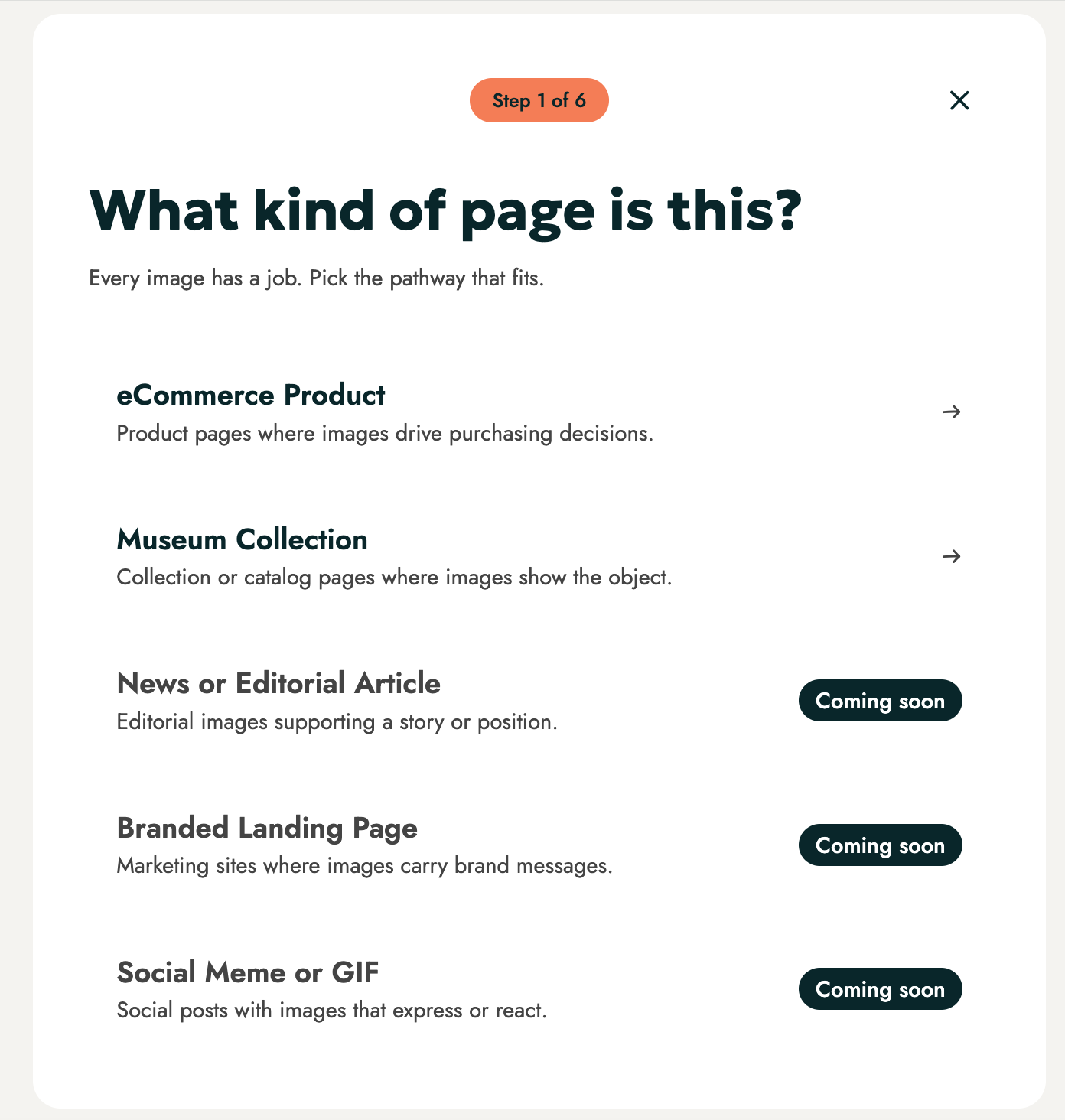
- Choose Your Pathway: Select your pathway (Launching with eCommerce Product and Museum Collection).
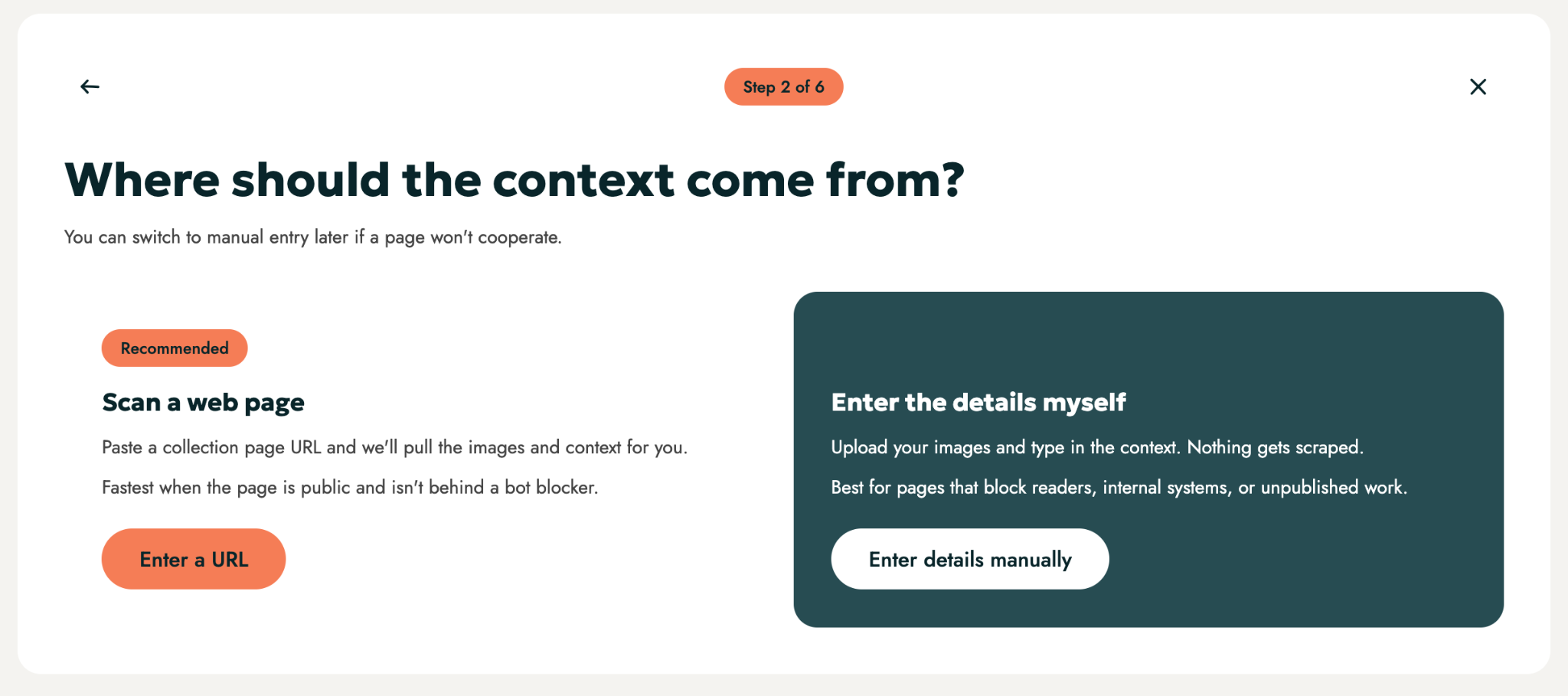
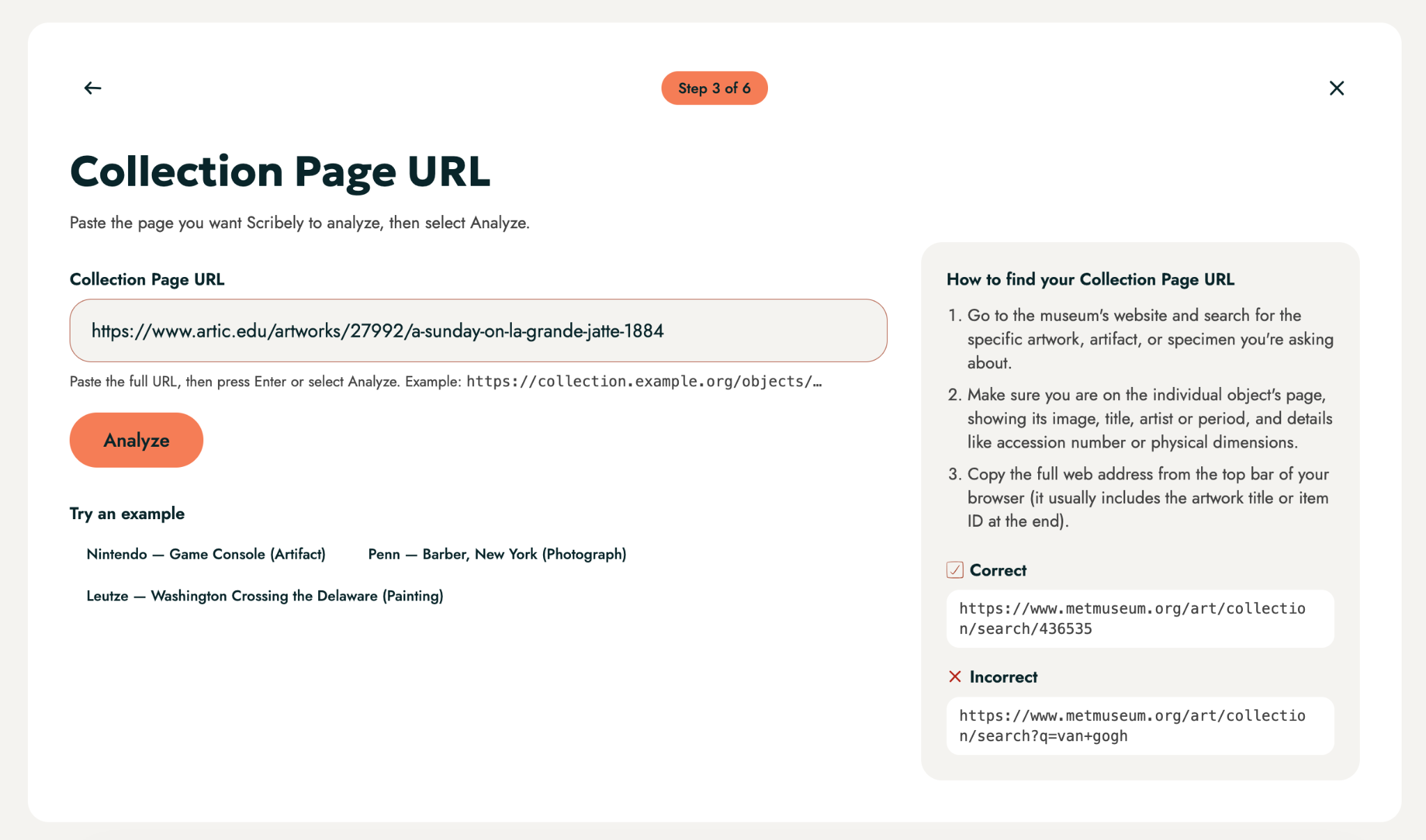
- Scan & Extract (2D): Drop in a URL to automatically gather local, spatial, and macro details. Or, enter details manually if the site cannot be scraped.
- User Input (3D): Answer quick, human-guided questions to capture off-screen intent, customer reactions, and unspoken features. At this point, screen reader users can also ask questions about the visual information in the images.
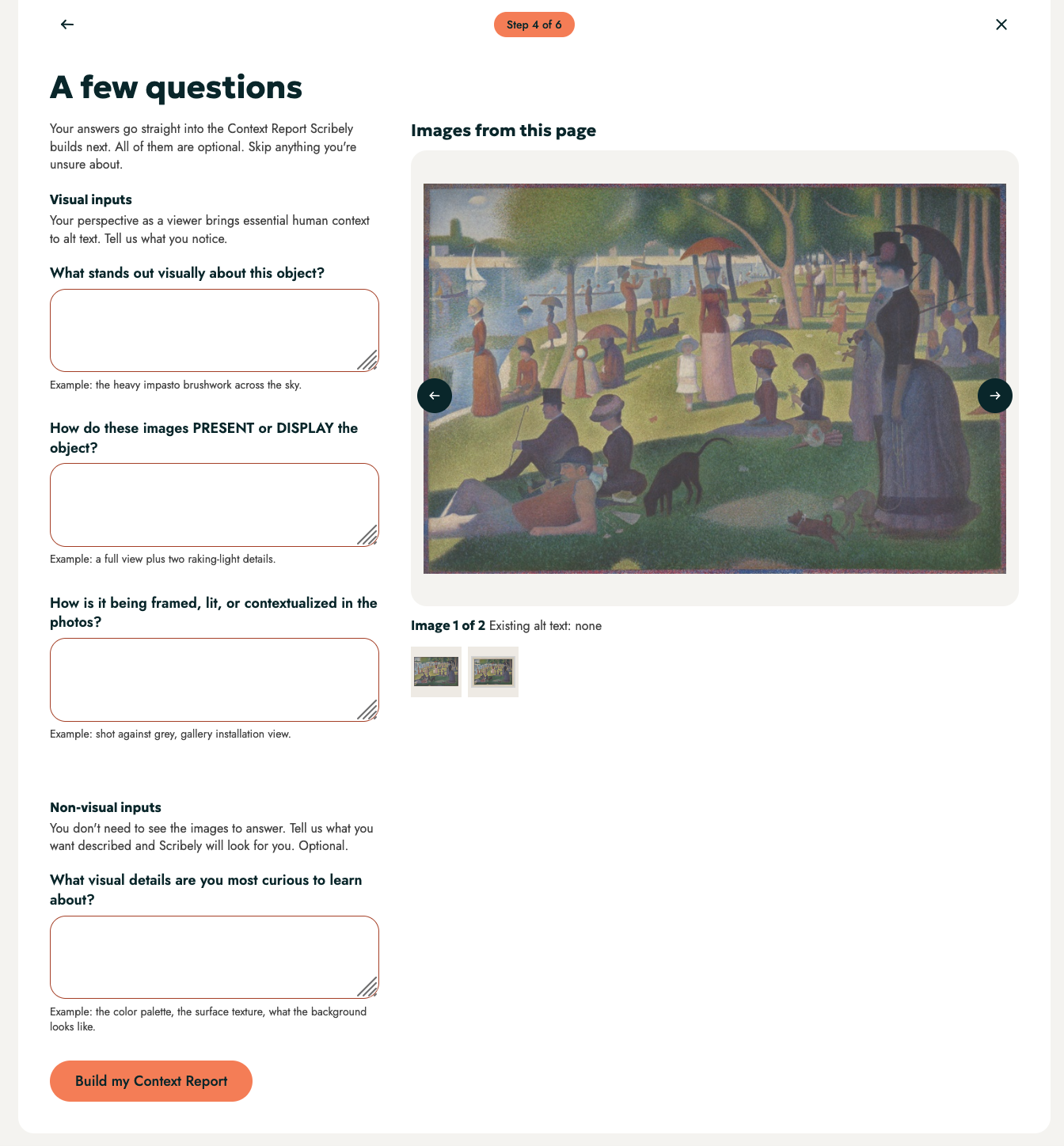
- Context Analysis: The tool synthesizes available context with human insight
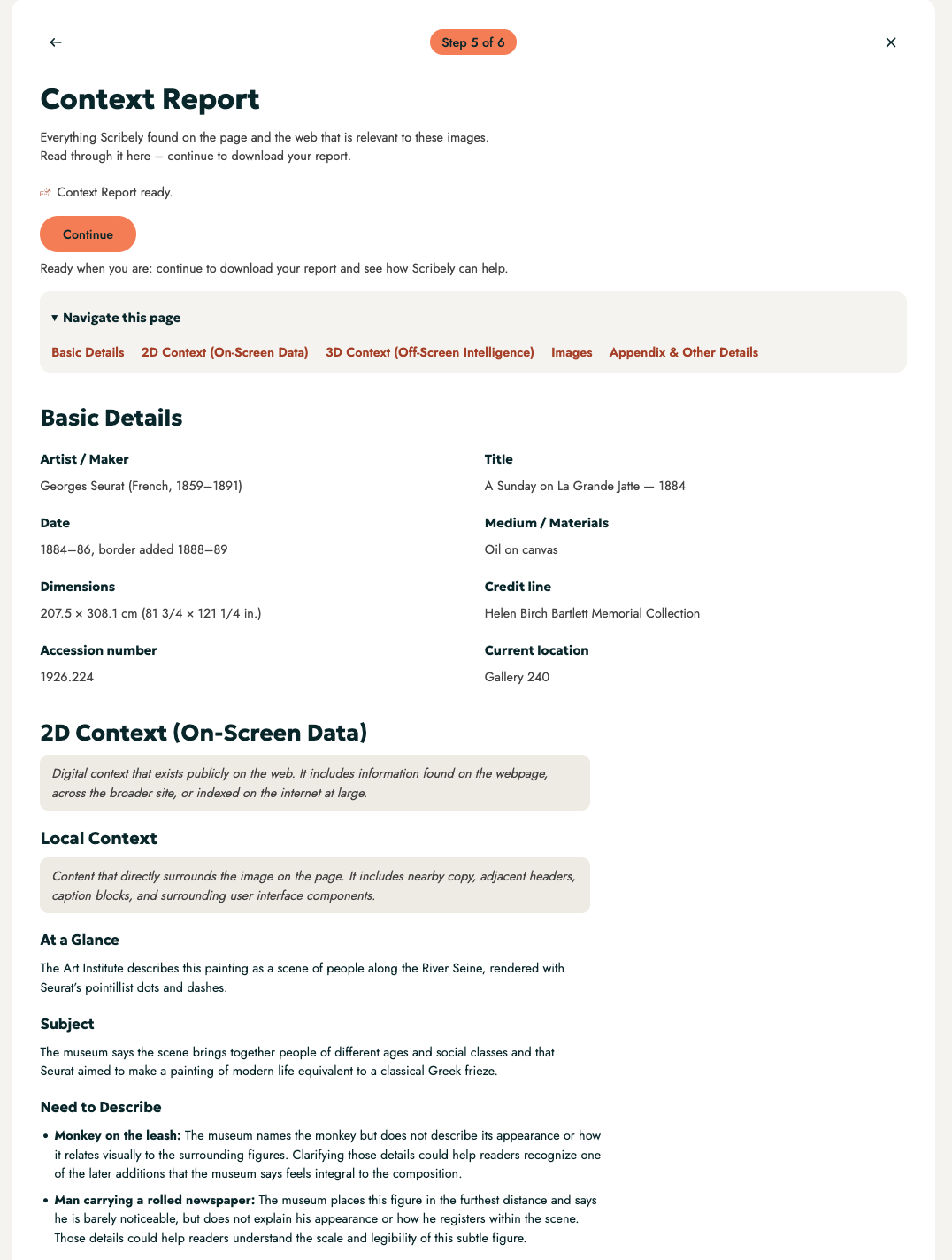
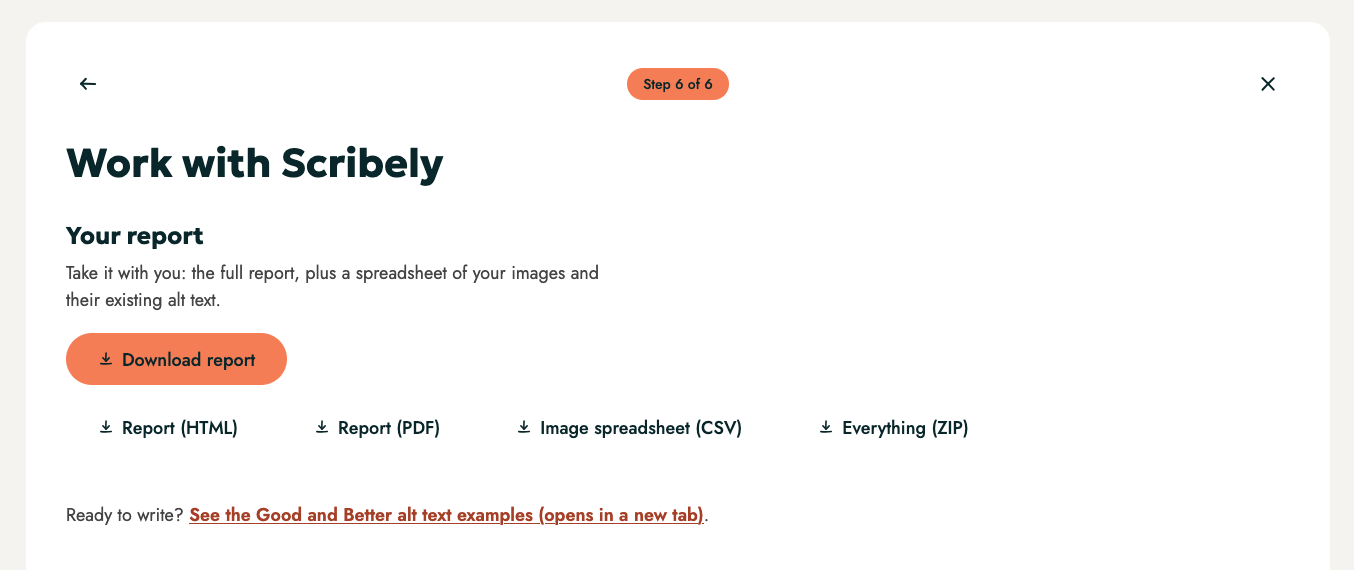
- provided.
- Download the Report: Receive a structured, production-ready “Context Report” to help you write accurate, context-aware alt text immediately.
How the Context Engine Incorporates 2D Surface vs. 3D Human Intelligence
At Scribely, we believe that 3D Human Intelligence is just as important as 2D Surface Context. Our purpose with the Context Engine is to educate and provide research for human-guided intelligence: bridging the intent gap between automated extraction with off-screen human direction. With this repeatable system, we can scale accessibility across teams without sacrificing alt text quality.
The Context Engine provides the following forms of context:
- Local Context (2D): Content nearby and directly related to the image
- Spatial Context (2D): Page purpose and experience (for example: a product page’s intention is to SELL, whereas a museum collection page is to SHOW)
- Macro Context (2D): Conducts cultural and historical research on the brand and/or product or museum, exhibit, object, and creator.
- Technical Context (2D): Context Report includes WCAG guidance and industry best practices relevant to the pathway.
- Functional Context (2D): Scribely guidance on how to understand the function of product and collection pages with standalone or image sequences.
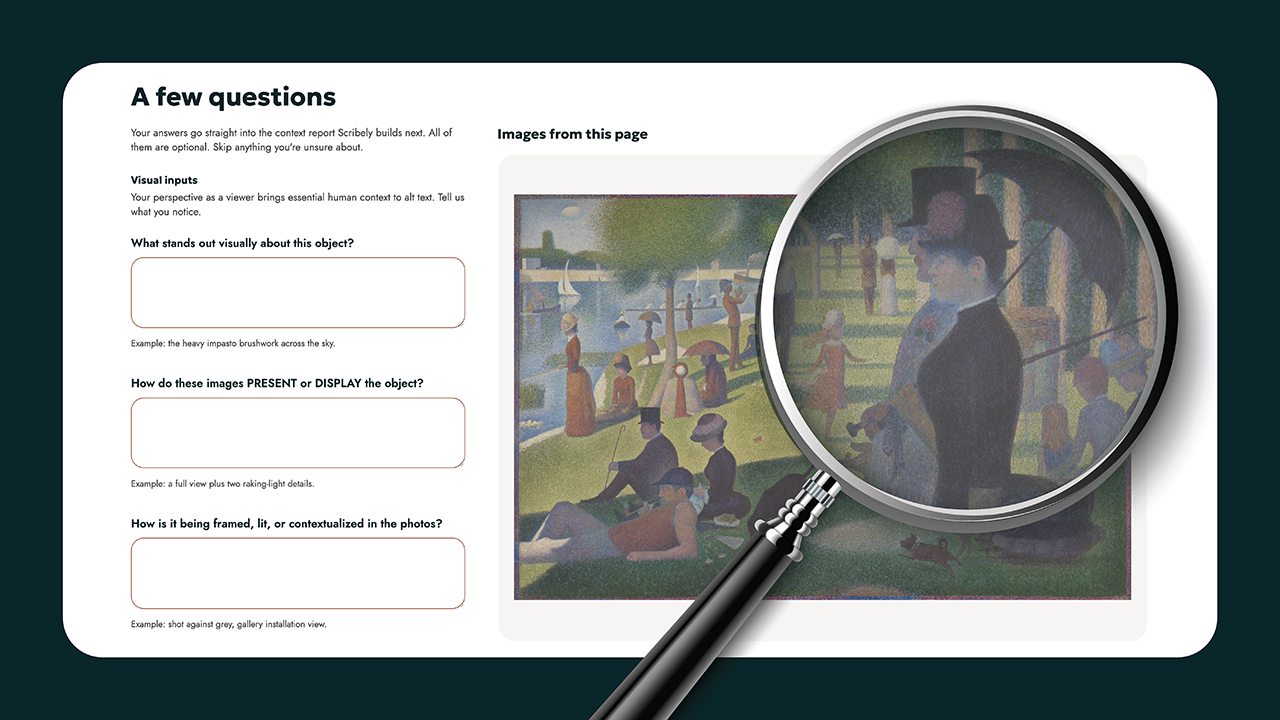
- Visual Input (3D): We provide a few questions for viewers to answer related to their reaction to the image or image sequence and reflections on what is most interesting or important to them / others and incorporate it into the analysis.
- Non-Visual Screen Reader User Input (3D): Allows users of screen readers to inquire about image sequences and receive answers grounded in the visual content and page context.
Who It’s For & What’s Next
With the Context Engine, we’re reimagining what the landscape of alt text could look like with a repeatable workflow that scales accessibility for businesses and shifts accessibility for screen readers, moving from passive readers to interactive, self-directed explorers.
The Context Engine for Alt Text is built for:
- Alt Text Writers: To eliminate writer’s block with a clear, repeatable system.
- Screen Reader Users: To explore and ask deeper questions about product and collection pages.
- Digital Teams: To build and scale custom context-aware alt text workflows (like Custom GPTs or Google Gems).
What’s Next on the Roadmap: Future pathways for our Context Engine that are coming soon include News, Branded Landing Pages, and Memes/GIFs. We will also add Internal Context (2D) to the Context Analysis Report, identifying objects or aspects of images relevant to context (if available) and describing their association to one another.
See it in action: point our Context Engine for Alt Text at any page and start authoring great alt text, with all the context you need right at your fingertips.

Image Description
Image Description Goes Here
Check out Scribely's 2024 E-Commerce Report
Gain valuable insights into the state of accessibility for online shoppers and discover untapped potential for your business.
Read the report


